EX-Z3
ƒ/2.6
5.8 mm
1/60

Back when I was a student, I had Steve Jobs over for a fireside chat. When I asked my childhood hero if he would sign my Apple Extended keyboard, he looked a little surprised to see Woz’s signature already there, and then he exclaimed “This keyboard represents everything about Apple that I hate. It’s a battleship. Why does it have all these keys? Do you use this F1 key? No.” And with his car keys he pried it right off.

Alan Deutschman reported the moment in his book, culminating in Jobs’ comment: “I’m changing the world, one keyboard at a time.”

For the relevant page in the book, enter the word “Jurvetson” in the “Search Inside the Book” box.

42 responses to “The “Battleship””

  1. What a great story.

  2. Ooo… so when this keyboard was made, was it when Jobs was with Apple or not? My PowerBook still came with an F1 key…. I don’t use it, but only because it has the built in light sensors so I don’t have to change the contrast by hand way-hey 🙂

  3. Jobs was at NeXT at the time (and Pixar =)

    It was a huge keyboard (19" x 7.5" x 2.2"), with a keypad and a lot of silly keys (home, help, end, clear, enter)

  4. NeXT keyboards measure 17.25" x 5.5" x about 2" and don’t have any Function keys.

    Here is a good biography about Steve Jobs those who might be interested.

    Good story.

  5. Those old battleships are still some of the best feeling keyboards I’ve ever used, though… Maybe I’m just being nostalgic, but I prefer the feel of the keystroke on the old Extended keyboard – felt like you were actually typing, instead of tripping contacts…

  6. I use the F1 key all the time when working on my PC. It opens up Help in most IDE’s, the one place where Help is actually remotely useful. The only other F-keys I use is F5 to refresh and Alt-F4 to close windows.

    I’ve got no idea what the F1 key does on my Mac, though I do use them to change volume and brightness and skip songs using Synergy.

  7. You know what key no one uses: the freaking CAPS LOCK key. They oughta replace that thing with a volume knob or something useful.

  8. … oh and we all just luuuv the original hand-cramping iMac keyboard!

  9. A sudden flurry of new comments…. did this get blogged or something?

  10. I followed the link from simplebits.com. Nice story, thanks.

  11. Ditto. I just realized this photo is yours. It was like bumping into a friend 🙂
    Awesome story!

  12. I really hate the apple keyboard I just got with my Mac Mini I keep double typing letters and it drives me nuts the keys are just too soft or maybe im just an animal…

  13. flickr.com/groups/stories

    I had the Apple® Extended Keyboard II, which was at least a lot quieter. My guess is that it was made so heavy and clunky so as to withstand whatever abuse it deserved. The retracting shim was a joke, on later models still one. It collected crap like a vacuum, and the keys got so spongy that one day I raked under the keys and flushed the board with water, disconnected. But it didn’t quite recover after that (I was young and it was my first computer.) and kept making input on its own, or kept the option signal on so I was unreadable and needed to copy and paste to talk. I got really mad so I’d been pounding on the keys and whacked the keyboard against the desk, knocking two keys off their hammer shard. I washed it again and after awhile it worked. I did use the function keys for QuicKeys and AOHell macros though.

    A year ago I redesigned the keyboard, along with the alfabet and punctuation that go with it. It’s strikingly symmetrical and lovely. However no one will use or understand it because the world will first need to lose its lowlier ways…

  14. This picture and this storry goes right into my favorites.

    My pow on apple keyboards: I started using apple allmost a year ago. Because of the iTunes-jippo starting at that time. I bought a PowerBook G4. A nice one. I am going to post a picture of it later on. It looks so nice. 🙂

    So there is a keyboard on it. And beeing a WinPc user I know how to use the keyboard. You need to use the end-key, the delete-key, the alt-tab, alt-F4, the ctrl-P, the ctrl-S, all of them. Most of the time you are not using the mouse at all. So when I bought my PB I was out of myself trying to find out how to work this keyboard!

    Now I know that even thoug the mouse has only one button, its as good or better then what ever your controll your wintel pc with. My old logitech-mouse had like 100 buttons and a wheel and everything. In OS X you do not need that. I even play Americas Army online without any problem.

    And as for the keyboard! It now works amasing. Not that I hardly use it. You can use the mouse for everything. Its amazing how OS X can mend what XP broke. Only thing I miss, and probably would have found out if it really mattered, is where the heck is the key that makes ( with square edges!?!?

    Love your picture. 🙂

  15. []? I have the same line you have. Does your foreign keyboard not have brackets?

    Apple, if you’re listening (Screw your unsolicited idea policy—I tried telling you about a better keyboard, but I’m too young and poor to be patenting the hundreds of ideas I have, so you brushed off my webform questions.), lose the keyboard shims or shim-fakehandles and use rollers with variable radius.

  16. My experience with the ‘Battleship’ was a Love/Hate thing:

    – Loved the feel of them keys, hated that ‘lever to raise the keyboard’ thing.

    – Loved the curly phone cord cable. Hated ADB (Apple Desktop Bus).

    //k

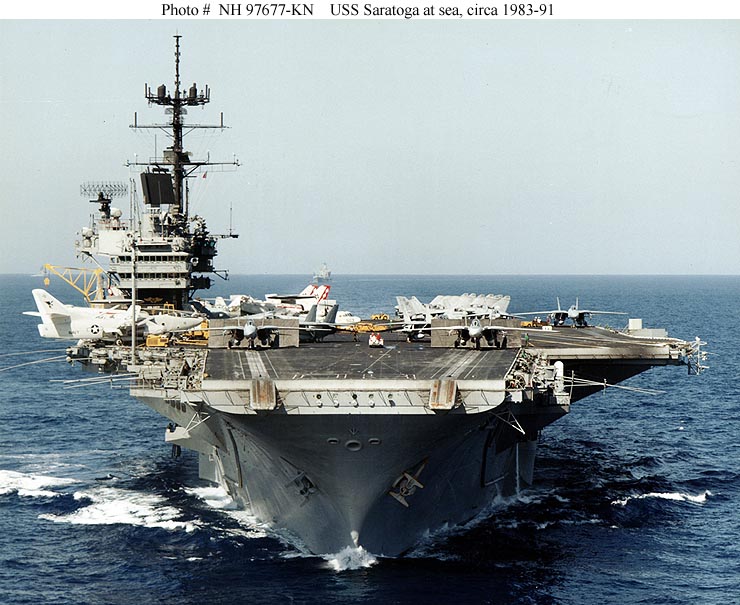
  17. More an aircraft carrier than a battleship, so the story goes. Halfway down this page, Bruce Tognazzini describes how the codename for the Extended Keyboard was "USS Saratoga". 🙂

  18. Great link. thanks.

    Hey, according to the new Flickr "interestingness" algorithm, this was the most interesting photo of the day, thanks to your input … yahoo!

  19. Congratulations!
    This image is Flickr – Interesting #1 photo for October 12th 2004.

    Would you please add it to the group Flickr – Interesting daily #1 moments?
    It will be a great addition!
    Please read the conditions of the group first.
    (You have to paste a link below your #1 photo, to proof if your photo was ranked #1 by Flickr – Interesting. Easy to do)
    Please, only post your #1 photo, if you will meet the conditions.

    If you have already post your #1 photo, you can read this comment like unwritten.

    Thanks you all, for uploading your #1 Photo.
    Kees, Administrator of the group Flickr – Interesting daily #1 moments.

  20. i remember that story from the book… great story, must be a wonderful memory

  21. The Apple USB Keyboard from the PowerMacs G3 (blue) is the best keyboard Apple ever made. The ergonomics is perfect: the touch and the size of the keys were simply the best.

    Nowadays, the actual white keyboards from Apple are not so strong and the keys are too loose.

  22. Thanks for sharing this story and this photo with us, jurvetson.

  23. He pried your F1 off!? eeesh! Interesting story though. He hates things that didn’t go his way, even though they didn’t really have a measurable effect on the success of the product! That’s sure and unshakable. Perhaps to a fault…

    I agree with some of the others though.. I use my F1 key in Sql Query Manager and the IDE and that’s about all… But maybe I’d be just as happy with ctrl1 or Alt-1.

  24. heyotwell: yeah, the caps lock key is useless. That’s why there’s supposed to be a ctrl key there.

  25. This is great!!! Though I have to admit that I’m typing this on an Apple keyboard that still has an F1 key…

    Seen on the Scientists Photographers page…

  26. Looks like Steve (the ‘boom’ one, not you) is still losing. I am looking at a F1 key right now.

  27. Steve might say "The Devil in is the DETAILS"…

    I’d have to say the DEVIL is IN S. Jobs! ;-0

    (You should have busted HIS F-1 & F-2 TeeTh out if he broke your keyboard like that! THEN signed his pompous FACE with the EL MARKO! 😉

    "Le Enfant (eFFeKeye) Terrible"

  28. Some days I feel like the only person who uses the caps lock key. Maybe not every day, but at least 5 times a week. No, holding down shift isn’t the same for various reasons.

  29. I recently picked up the new Aluminum Wireless Keyboard, largely BECASUSE it lacks the numpad and other keys. I live and play on a MacBook and a ThinkPad, so I’m trying to wean myself off of the extra keys. I use to look for a keyboard with as many keys as possible, but now I think Steve was right.

  30. I agree!

    I also agree that this is "Priceless!!"

    Seen in Scientist Photographers Group

  31. Nice one!

    I’ve seen lots of passwords under keyboards, and a lot of gross junk as well. This is the coolest thing I’ve seen in that location.


    Seen in a discussion of Scientist Photographers. (?)

  32. Oh… Why are all our heroes so imperfect
    Jill Sobule

    The Woz, Dancing With the Stars!

    and practicing

  33. Wow! This is worth a fortune!

    You are the man with the memorabilia. I remember you and I got Andy Grove to autograph a couple of silicon wafers (pentium) that Gordon Moore passed out in our investment class. Do you have a museum at home?

    Masato

  34. Hola Masato! Tangible mementos from the Burgelman Grove class.

    Yes! These artifacts are next to each other on my shelf at work:

    Andy Grove

  35. masato – perhaps the keyboard is more rare than I realized…. From the NYT piece, Woz wrote to me on Facebook:

    "I hope he didn’t include me in that comment! There was plenty to hate about that keyboard though. You may well have the only Apple device with both our signatures on it."

    BusinessWeek will also be running the story in their Friday special edition.

  36. hang on to it for the rest of your life 🙂

  37. My English is poor.Recently I read Steve Jobs :A Biography.I very curious that the signature of the keyboard. Can see the front of the keyboard?Want to see Which keys are pulled

  38. hello! would you consider posting a picture of the front of the keyboard?

  39. It’s the standard front. Meanwhile, Woz just said something interesting about innovation in the Valley:

    Steve Wozniak has admitted that Apple, the company he co-founded, is no longer the biggest innovator in Silicon Valley.

    When asked in an interview with Bloomberg which company is most likely to spearhead the next major technological breakthroughs, the tech icon responded that Tesla is moving in the “best direction” because it “put an awful lot of effort into very risky things,” such as electric and self-driving cars, ahead of the competition.

    “I’m going to bet on Tesla,” he said.

    From Investopedia (now a dead link), but elsewhere

Leave a Reply

Your email address will not be published. Required fields are marked *